
Summary
Hello there! We're a little indie studio specialized in stylized graphic, with a few extra experiences in game development, founded by Marco Onnis and Lorenzo Bacchella.
Marco and Lorenzo have both a huge passion for pc graphic and videogame.
Marco started used pc at the age of six and then growing up, become a programmer with a bachelor's degree at Computer Science (University of Cagliari).
Lorenzo at the age of 4 played his first videogame (nintendo cube), he'd never stopped to play. At the age of 23 quit university and started to study 3D modeling and drawing, becoming an selt-taught Artist.
Skills
Software proficiency



Productions
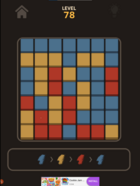
- Mobile GameOneForAll
- Year2018
- RoleProgrammer and Artist (Marco), Designer and Artist (Lorenzo)
- CompanyOnePirri

- Video GameBash Dungeon
- Year2018
- Role- Programmer, Designer and 3d artist (Marco), 3d artist (Lorenzo)
- CompanyUNICA university of Cagliari (Marco's Degree Thesis)
Experience
- 3D Publisher at OnePirriCagliariSeptember 2017 - Present
Working togheter as a group to design and create stylized
game assets using PBR workflow.
The created assets are published in Unreal Marketplace and in Unity
AssetStore as well.
Lorenzo's role in this group is to:
-Social Media Manager
-Planner (guiding team and very good at
organizing).
-Create basic stylized shaders (Unreal Shader nodes).
-Create environment props using Blender, Zbrush, Substance
Painter and Designer.
-Create basic concepts using Photoshop or Procreate.
-Ensure that the assets are being created with correct pipelines
and that the projects are setted up correctly in both Unreal
Engine and Unity3D.
-Set up environmet scene (Unity3D & Unreal Engine 4).
-Fix project's graphic problems (Unity3D & Unreal Engine 4).
Marco's role in this group is to:
- Code game prototypes and utility scripts.
- Create basic stylized shaders (using Unity Shader graph, Amplify or
Unreal Shader nodes)
- Create environment props using Blender, Zbrush, Substance Painter
and Designer
- Create basic concepts using Photoshop or Procreate
- Find photo references to understand what kind of mood we want to
achieve
- Ensure that all the items created fit in the scene by color, shape and
general mood - 3D teacher- Blender at Game Maker AccademyCagliari, ItalyOctober 2019 - March 2021
Responsible for teaching how Blender 3D works in two different classes
and ensuring that everyone could fully comprehend the taught lessons.
Specifically, for the students of the first year I taught:
Study of Blender interface and use of basic shortcuts
Study of correct/optimized topology for game assets
Use of modifiers as: Mirror, Subdivision, Skin, Array
Creation of UVs
Creation of basic materials
Use of created UVs to create handpainted textures (in Paint
mode)
Import of the created assets into Unity3D.
While, for the students of the second year:
Creation of complex models using basic shapes.
Use of modifiers as: Cloth, Buildup, Lattice, Normal edit modifier
Use of particle system (to generate foliage)
Creation of more complex materials, explaining every InputOutput
Basic nodes use for material creation, compositing and World
rendering using Eevee and Cycles.